About Me

My photo
A retired Welshman living in wonderful Plymouth in SW England, I’m a family man, novice sailor and boat builder, astrophotographer and motorhomer. With a passion for all things to do with education and the sea and skies above, I have a sense of adventure and innate curiosity. I write three blogs. ‘Arwen’s Meanderings’ charts my learning to sail a self-built John Welsford designed ‘Navigator’ yawl. Look out for her accompanying YouTube channel www.YouTube.com/c/plymouthwelshboy . ‘UnderSouthWestSkies’ follows my learning journey as I take up astronomy and astrophotography; a blog for beginner’s new to these hobbies, just like me. ‘Wherenexthun’, a co-written blog with my wife Maggie, shares how we ‘newbies’ get to grips with owning ‘Bryony’ an ‘Autosleeper’s Broadway EB’ motorhome, and explores our adventures traveling the UK and other parts of Europe. Come participate in one or more of our blogs. Drop us a comment, pass on a tip, share a photo. I look forward to meeting you. Take care now and have fun. Steve (and Maggie)

Thursday, 20 February 2025

Beginners guide to taking your first milky way photograph - 3 settings

 Beginners guide to taking your first milky way photograph – 3

This is the third blog in a series of posts in which I share what I am learning on my ‘learning journey’ towards obtaining a good milky way night time image. In my second year chasing down this aspiration, last year was dabbling and learning lots. This year, I want to ‘nail’ one or two good milky way landscape images. It’s a mission!

If you have just arrived at this page, perhaps go read the first two posts in this series before this one? They sort of follow a logical order.

One of my very first efforts at trying to capture the milky way one night 😕

This blog post series aims to share what I have learned and achieved thus far to help encourage those of you seeking your first milky way image.

Please remember I am still at the very beginning of my learning journey. I am no expert. I claim no expertise, so, as always, a caveat follows.

I am a complete beginner to astronomy and astrophotography; this entire blog is written from that perspective – a chronicle of my learning journey written by a beginner for other beginners. I know very little about anything frankly but therein lies the attraction. If I can do it with my very limited knowledge – then so can you; and probably better, as I am a rather slow learner at the best of times. If I have made any mistakes in my posts, I apologise. Please drop me a comment highlighting the issue and I will correct it immediately.

I will not be going into huge depth about how things work and why we do things the way we do. I’m not dismissing the importance of having a theoretical understanding – its critical – I’m just saying it’s not the focus of these blog posts. My aim, is to just get you out there, obtaining a first milky way image.


To help you achieve this, I will outline some simple answers to these questions:

1.            What equipment do we need?

2.            What advanced planning is needed to ensure success on the night?

3.            What base settings can we use to help us get success?

4.            What foreground composition considerations do we need to make?

5.            What are the different techniques for getting a milky way photograph?

6.            What do we need to consider if we want to do a milky way selfie shot?

7.            How can we improve our milky way photography skills?

8.            What is a ‘beginner’ workflow for post editing our milky way photographs? 


A later effort of just the Milky Way in the sky
Post editing is one of my areas for further development this year - I am capturing data but not making a good job of post editing it 

1.       What base settings can we use to help us get success?

In this post I am talking about two different sets of settings – those you need to set within your camera menu; and those base astro exposure settings which will get you a single milky way image on the night, all being well. Remember, I am not getting into the ‘why?’ – just the what! My camera is a Canon, so much of this below applies to this brand but other camera brands will have similar settings in their menus.

Before we jump into it all, I am assuming you have a little understanding about

·        ‘shooting in manual mode’ and also

·        the ‘Exposure triangle – shutter speed, aperture and ISO interactions’.

·        how ‘aperture affects depth of field’ and

·        reading a histogram and understanding what it tells you at a basic level

You can find out more about these things here:

Exposure triangle - https://photographylife.com/what-is-exposure-triangle  and https://capturetheatlas.com/exposure-triangle-explained-photography/

Depth of field - https://photographylife.com/what-is-depth-of-field and https://www.photopills.com/articles/depth-of-field-guide

Reading a histogram - https://capturetheatlas.com/how-to-read-a-histogram-in-photography/  and https://www.digitalcameraworld.com/tutorials/cheat-sheet-how-to-read-a-histogram


So, let us now jump into camera menu settings.


Firstly, shoot in RAW – it gets the highest quality image and enables most flexible post shot editing. Set your bit-rate to its highest setting if your camera allows that. RAW allows you to bring out detail from the shadows; remove noise in an image; change the WB in editing software. Don’t shoot in JPEG’s!

Secondly – always shoot in Manual mode.

White balance can affect your camera’s histogram, so it is important to set it correctly. I leave mine on daylight (5500 – 6500K). Some friends of mine use 4000 – 5000K. Others just leave theirs on auto. Don’t worry too much about WB settings as you can change it in most editing software later.

Picture control or Creative style – set to neutral.

Long exposure noise reduction – to stop your camera taking an image and then immediately after a second dark frame image – switch off LENR in your camera settings. You can remove any ‘hot pixels’ (a pixel within one of the colour ranges is at its maximum value and so it shows up as a very colourful bright spot in your image).

High ISO Noise Reduction – turn it off to get a better representation of images taken on your rear screen.

Virtual horizon – I use this in my live view screen to ensure I have a level horizon

Turn off auto focus I focus all my lenses in manual focus mode. In that way when I touch live view rear LCD screen I don’t suddenly alter the focus in my shots. I’ll cover focusing in the dark later in this post.

Turn down LCD screen brightness – you took care to get your eyes dark adapted – be a pity to constantly lose it every time you look at your LCD screen! Turn it up to preview an image, (although it won’t give a realistic representation of your camera exposure setting in the image) or to focus on the stars at infinity when you first start your session. 

Lens stabilisation (lens image stabilisation) – I switch mine off.

Stop light leakage – did you ever find a funny little oblong rubber thing attached to your camera strap when you first got your camera new? Its to slip over your viewfinder to block any light from leaking into the system other than through the lens. I use one, it was a tip someone gave me. Failing that, use some dark duct or masking tape to block off the viewfinder.


Wembury Beach looking across to The Great Mewstone Island
Another 'early on' milky way image

Having looked at what camera settings you need to work with, let us now dive into the base astro exposure settings for getting your first milky way image.

Base astro exposure settings

When I watched videos, did some on-line courses, and read various books – I quickly arrived at one conclusion – nobody has a definitive answer to the best starting settings to use. There is some commonality in discussing ‘ranges’ of settings however.

Now, I also need to introduce another concept or two at this point.

Where Milky Way images are concerned – you can do ‘single’ sky/landscape image exposures.  A one off image.  Then there are multi-exposure techniques – so stacking, tracking, focus stacking and more. These multiple exposure techniques I will deal with in a later post in the series. For now, lets just focus on getting a single exposure image – nothing complicated.

(However, at this juncture, I should point out that single image exposures, are in my limited experience view, best for silhouette compositions – e.g. dark rocky outcrop on horizon against backdrop of bright milky way sky; or something similar. If you want to print off at small print size or present in social media, then fine. If you are looking to do high quality large printing, less so!

I have become an advocate of ‘take two images’ milky way photography' – you do one image exposed for the sky and the milky way; another for the foreground. You then blend both images in a photo editing programme after doing basic adjustments to each image.

Why? Because when you look at any of my single exposure images, the foreground always looks really dark and lacking in detail; very noisy and generally out of focus as well)

For now, let’s not get too caught up in the ‘one or two image blend’ debate, only because I am still struggling to internalise what I am learning, if I am frankly honest!

Below are the ‘starting’ settings I have been using over the last year or so to get a single exposure image of a milky way landscape. These settings are mainly about getting the sky right.

·        Format – RAW and camera in manual mode setting

·        Shutter speed – 12 to 30”

·        Aperture – F/1.4 to F/3.5 (On my lenses I favour F/2.8) and focal length 14 - 35mm (I prefer 14mm and 22mm)

·        ISO – 800 – 6400 (Again, on my camera, 800/1600 seems to be the sweet spot for me) 

·        WB – daylight

·        Manual Focus with Lens image stabilisation – off. Focused to infinity 

Some of these setting choices do need a little further qualification however! What if your image in ‘review’ appears too bright, too noisy, under exposed, washed out, trailing stars or ‘pixel cropping’ in the histogram shadows? How do you make corrections to gain improvements on the next image?

Shutter speed – 30” maximum to avoid star trailing! We are aiming for milky way detail and pinpoint sharp stars in the sky. By getting the maximum amount of light we can - the brighter the image will be, the more detail there will be in the shadow areas and less visible noise will be apparent in the image.

So, how can we work out an appropriate shutter speed for our image?  There is the 500 rule for full frame cameras; the 300 rule for crop sensor cameras like mine; and even a NPF rule. I will focus on the 300 rule only because I use it with my crop sensor DSLR. I found the NPF rule gave me very under exposed images.

Essentially these rules work out your maximum shutter speed you can use before experiencing star trailing. I won’t get into the ‘how and why’ they work as such but here is the table I use as quick reference to decide what shutter speed to use when setting up a shot:


Focal length of my lenses in mm

Crop sensor 300 rule

10mm

30”

14mm

21”

22mm

14”

35mm

9”

50mm

6”

55mm

5”

135mm

2”


You can find a Spot Stars’ setting in the PhotoPills app which will allow you to enter your camera and lens combo along with aperture details etc. It will then do the calculations for you for the 500 and NPF rule.

Aperture F- stop – to gather as much light as we can in our night image – shoot at a maximum aperture and the lowest F-stop. It depends on your lens quality though. I have lenses that I can shoot at F/1.4 or F/2.8 as the widest aperture/lowest F-stop. Basically, the lower the F stop, the wider the lens aperture opening and the more light hitting the sensor. Do some test shots with your lenses and then zoom into the stars on your LCD screen review image. I find at F/1.4, in the corners of the image, my stars are elongated, trailing, bloated. Aberrations!  If I shoot on all my lenses at F/2.8, I find these become minimal and acceptable. Things to remember though regarding aperture – a low F-stop brings a brighter exposure and less visible noise; but a shallow depth of field and increased risk of aberrations. Do some test shots to find what the best aperture is for your lens – how do sharpness and aberrations change across the resulting image? What can you personally accept in an image?

ISO – It took me ages to grasp this but there is an order of adjustments to get a good image. You set aperture first, followed by shutter speed. Last of all you set ISO! Aperture and shutter speed control how much light comes to the sensor, the latter limited by the star trailing limit; ISO determines how much to amplify that light signal and this is the last thing you adjust to affect image brightness.  In a dark sky site on a moonless night, I use 1600 – 6400; normally using 1600/3200 most nights.  Anything higher and I start to introduce lots of ‘noise’ into the image. If you are in a light polluted area or it’s a bright moon, lower the ISO to stop any highlights in the sky or foreground from blowing out.


A failed attempt at focus stacking 

OK. The above should help you obtain a single milky way landscape image – camera settings and base astro exposure settings. But, lets cover a couple of other issues that might crop up.


Firstly – taking separate sky and foreground shots. What would the base astro exposure settings be for each of these?

I have been experimenting all last year with this. I first cottoned on to shooting two separate images during an excellent free on-line Milky Way course by Kristina Rose. She does them on Facebook and they are brilliant. So many people have been able to go out and shoot their first image because of her advice. Dan Zafra is another whose free courses helped me engage with milky way landscape shooting. Finally, the YouTube channel Nightscapes and some of Peter Zelinka’s videos – both gold mines of information for beginners like you and me. 

So, what do I understand about this approach?

Simply put, you shoot two different shots from precisely the same location but at different times so that they require different exposure settings. You then process the shots individually and finally blend them together.  So, I might shoot my foreground interest element at blue hour and then much later when it’s very dark, my milky way sky shot. I might move up to 10m or so away from my blue hour shooting position so I can get the best view of the sky. I’d perhaps incorporate just a little bit of the landscape horizon in the bottom of the sky image but 90% of it would be sky.

Settings for a foreground shot – I shoot a much longer exposure shutter speed than I can for the sky; I’m not limited by the star trailing issue! My sky part of the image will be overexposed and full of star trails but that doesn’t matter. I will be replacing the sky with another image later in post processing.

What exposure I start with depends on what aperture I am using, how much depth of field I want in the image and how much light is already lighting the foreground area. It’s a trial and error jobbie frankly, trying to decide what shutter speed to use. I want to keep ‘noise’ to the minimum but I want detail to show in the shadowy areas. So, I tend to go for somewhere between 1 – 4 minutes exposures. ISO – if it is very dark – I use 400/1600 and then check the histogram. I don’t want the histogram bunched down the left hand side, clipping to black. It depends whether I am shooting at blue hour, twilight or actually in the dark.


Secondly, there is the issue of focusing at night. How do we focus in the dark?

Last year this single issue drove me nuts! So many images not properly focused – especially in the foreground elements. I had to do lots of research and practising to start progressing the quality of my images. I cannot begin to estimate how much time in a session was wasted with me trying to get pin point stars! Just don’t go there!

It is pitch black dark. Your camera lens is in manual focus mode.  You can’t see the foreground properly. Auto-focus is not an option! And there is the hidden elephant in the landscape, so to speak – if you are shooting at wide apertures and focusing at infinity to get the stars – how do you get any depth of field in your foreground landscape elements?

How do I ensure that the sky is in focus and stars are sharp?

1.       Camera and lenses are switched to manual focus mode

2.       I generally try to find my lens infinity focus point during the day – I find a distant horizon, focus on it using auto focus – so that everything on the horizon line is in sharp focus. Take test shots, review and zoom in on review image to check distant objects are in focus. When I get it right, I mark the focus ring on the lens with a wax pencil or tape it with duct tape securely so it won’t move. Later that night, my stars should be in focus! I take test shots and check on zoom in that they are.

3.       However, now I have grown more confident, I tend to do my focusing at night using LIVE-VIEW focusing on the stars themselves. All my lenses are prime lenses, not zooms!

a.        I turn the focus ring to infinity and then set a high ISO – 6400. Aperture is at F/2.8. Shutter speed at 20” as I am normally using my 14mm Samyang lens.

b.       Live-view is switched on. 

c.       Pointing the camera towards a bright star, I use my laser pen resting on my camera to position the camera so that the star will appear in the centre of the grid of thirds on the LCD rear viewer. I turn the focus ring until the star appears sharp and small on the rear screen and make final small adjustments of the camera to get the star into the centre of the LCD rear panel.

d.       My Canon has a digital zoom button which brings up a white rectangle on the screen. I move this into position over the star so that it sits centrally within it. Pressing the zoom button once more brings me to x10 magnification and then I can make minute adjustments in focus until the star is tiny and pinpoint sharp. I then tape my focus ring in that position so it won’t be accidently moved.

e.       I now position my camera for the composition I want to take.

f.        Time for some test shots – is my composition right? Are the stars in focus? Is the foreground main elements in focus? I tend to do settings like 20” at F/2.8 and ISO 6400+. I just want to see that the composition is as I want it. It will be overexposed but I am throwing these test shots away, so no worries.

That is how I take care of the sky element. But!!!

How can we ensure that our landscape foreground details are sharp in an image? 

The above methodology gives you sharp stars and this would be the method for a separate sky image.

An alternative method for a single image exposure is Hyperfocal distance focusing. So far, most of my single exposure milky way images have been based on Live-view methodologies - focused to infinity to get sharper stars and any foreground in focus has been a bonus based on pot-luck!   

Hyperfocal distance methodology gains a maximum depth of field and sharpness throughout the image from back to front.  It is based on a hyperfocal distance point in the landscape – focus on that and everything in the image from infinity to half the hyperfocal distance will be in focus and reasonably sharp. Now here is an important point – if you don’t get the hyperfocal point correctly identified in your landscape and you fall short of it, any stars in the background will lose their sharpness – which seems to defeat the purpose of a good milky way sky image! Focus at the correct point and most of the landscape remains sharp along with the stars in the sky.

PhotoPills is your friend! It has hyperfocal distance tables – it does the hard work calculations for you. I enter my camera and then look up the focal length of my lens and the aperture I am shooting at. So, at 14mm and an aperture of F/2.8 for my Canon 800 D – the hyperfocal distance would be 3.73m. All I have to do is estimate where 4m is is in front of my tripod. If I focus on that point – everything from there to infinity should be sharp. Anything in the foreground within 4m wont be!

I hope I have explained this correctly. I’ve yet to try this hyperfocal distance method at night – I’ll let you know how I get on! Meanwhile, if I haven’t made it clear – here are some tutorials: https://photographylife.com/hyperfocal-distance-explained and https://www.bhphotovideo.com/explora/photography/tips-and-solutions/calculating-hyperfocal-distance-in-photography  and https://www.photopills.com/calculators/hyperfocal-table

On a night when I managed to get meteors, part of the milky way and part of an aurora all in one shot
Sadly, it was out of focus practically from front to infinity.

It is a tough learning curve is this Milky Way imaging malarkey! 


Focus Stacking is another possible method for getting all your landscape elements focused. especially if you are trying to fit in flowers at the very edge of your foreground front! (Although, I found that the wind kept blowing them and so they kept appearing fuzzy!) 

We use wide angle lenses with wide apertures for night time photography and given we are focusing on the stars and milky way, then much of our foreground will be out of focus. Focus stacking involves taking a number of exposures of the scene but you change the focus point within the foreground between each shot. (With little experience to date - I found focus stacking difficult to do in the dark - I needed to use my head torch to try and find the 'blur' point (see below) and wasn't very successful in doing so. I found focus stacking at blue hour was easier - but that is just me. I have yet to master this technique but I have tried it a couple of times last year. It sounded simple, yet in my reality......well never mind. I have this unique ability to overcomplicate the simple! )

Later in post editing, we then blend all the shots into one final image exposure which should be pretty sharp from back to front.  

Having decided on your exposure settings - aperture, shutter speed and ISO (our base astro settings) -you focus at infinity - i.e. the milky way sky and take your first shot.  I then review the image on my LCD screen and I zoom right in. I am looking for the point in the foreground where the focus is starting to become blurry. At that point - I try to find an object I can focus on and I now change my focus to settle on that object at that point of blurriness - Live-view and my digital zoom button help. When focused on that point I take another shot. I repeat these steps until I have focused on the closest part of the foreground to me. That is my last re-focusing point. I should now have enough shots of the foreground from back to front where all parts of the landscape are in focus; as well as the night sky at infinity. 

Now to be fair, I have a friend who does it in reverse - starts at the foreground and works to the back and infinity point. No idea which is the better method - up to individual choice I guess. 

I found this blog post simple to understand and quite informative on focus stacking: 

https://intothenightphoto.blogspot.com/2023/06/focus-stacking-nightscapes-with.html


Just in case you think I am making no progress at all - here are two images from towards the end of last year which show, albeit slowly, I am making some progress! 


I found these videos helpful when trying to get my head around focus stacking: 


At the end of this lengthy post, I hope I have helped you get a good idea about the following:

1.       The camera settings you need to set in your camera menus

2.       The basic astro exposure settings for getting sharp stars and focused milky way in the sky

3.       Getting the sky in focus

4.       Getting any landscape foreground elements in focus


In my next post in the series, I will consider issues to do with composition - What foreground composition considerations do we need to make?

As always, if I have anything above wrong, drop me a comment and I will correct it immediately.

In the meantime, clear skies, stay safe, good astro image hunting.

Steve

It seemed like a good foreground subject at the time
However, a combination of random SUV headlights, scattered cloud, random lodge room lights and intense cold.......all excuses .......but I bundled it! Ho Hum! 
This was bad editing of two shots - the sky and a separate foreground. Both poorly exposed and then horrendous post editing blending! 

Don't be put off by my poor images - getting a good milky way image is far simpler than my exemplars would suggest. Remember, I am starting form a low base level. Having never used a DSLR before - I decided to go from auto to manual; and then take on deep space astrophotography and landscape night astrophotography all at the same time as I tried to start using a photo editing program like Affinity Photo for the first time. Throw in trying to understand deepskystacker, SIRIL, GraXpert and Sequator.....no wonder I get so confused! 

Clear skies, stay safe, have fun out there and as always drop me a comment - show us your first milky way images; correct anything I have wrong above

Take care now 

Steve 


Wednesday, 19 February 2025

Beginner's guide to taking your first milky way photo - 2 Planning

 Beginners guide to getting your first milky way photograph – 2

This is the second in a series of blogs in which I will share my learning journey thus far towards obtaining a good milky way night time image. This is my second year chasing down this aspiration!  Last year I dabbled but learned lots. This year, I want to ‘nail’ one or two good images at local SW locations I have listed in my notebook. It’s a mission!

If you have just arrived at this page, why not go back a blog post and read the first post in this series about ‘equipment needed’ for milky way photography. 


This blog post series aims to share what I have learned and achieved thus far to help encourage those of you seeking your first milky way image.

Please remember I am still at the very beginning of my learning journey. I am no expert. I claim no expertise, so, a complete beginner to astronomy and astrophotography. This entire blog is written from that perspective – a chronicle of my learning journey written by a beginner for other beginners. I know very little about anything frankly but therein lies the attraction. If I can do it with my very limited knowledge – then so can you; and probably better, as I am a rather slow learner at the best of times. If I have made any mistakes in my posts, I apologise. Please drop me a comment highlighting the issue and I will correct it immediately.

I will not be going into huge depth about how things work and why we do things the way we do. I will give references for you if you wish to pursue these areas further. I’m not dismissing the importance of having a theoretical understanding – its critical – I’m just saying its not the focus of these blog posts. My aim, is to just get you out there, obtaining a first milky way image.

There is soooooo much wrong with this image but at the time I was chuffed to bits with it. A very early selfie effort, poorly processed. As always, it is my post processing skills letting me down

Two more from that same session last year - they show me at the start of my milky way learning journey
Both are single shot images 


To help you achieve this, I will outline some simple answers to these questions:

1.            What equipment do we need?

2.            What advanced planning is needed to ensure success on the night?

3.            What base settings can we use to help us get success?

4.            What foreground composition considerations do we need to make?

5.            What are the different techniques for getting a milky way photograph?

6.            What do we need to consider if we want to do a milky way selfie shot?

7.            How can we improve our milky way photography skills?

8.            What is a ‘beginner’ workflow for post editing our milky way photographs? 


So, today’s question – 2. What advanced planning is needed to ensure success on the night?

If I was logical I would go through questions 3 – 6 first and then come back to planning, but I don’t think logically, so bad luck! In my head, knowing a little more about the milky way will help us better understand the reasoning behind the settings and techniques we use – well, that’s my thinking; most of the time I’m wrong but here we go! It worked for me – maybe it might work for you too. If not – skip forward to future posts and come back to this one at the end.

I subdivide this question about planning into these topics:

  • keeping safe and warm
  • knowing where and what orientation the milky way can be found in 
  • weather on the night
  • finding a dark sky site
  • scouting a location during daytime
  • shoot for the follow up editing  

Keeping safe and keeping warm.

In the dark, navigating varying terrain, carrying equipment – possibly remote, isolated location with variable internet and mobile smartphone signal! On your own? Worst case scenario – could you survive safely until help arrived, should the unfortunate happen? A trip or fall?

Or how about standing around for lengthy periods of time as temperatures drop, can you remain comfortable, warm, positive, and focused on the tasks in hand?

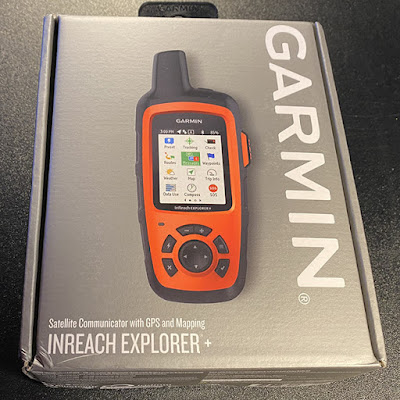
First off – emergency communications – carry a personal locator beacon (PLB). Something that sends out a distress signal via satellite to alert local rescue services. If it sends simple text messages, even better! I use the Garmin Inreach Explorer for everything – sailing cycling, walking, astronomy/astrophotography, mountaineering (not that I do any of the latter nowadays – the knees can’t take it). It sends a distress signal, shows basic maps of locality and allows the sending of simple preset messages and texts to family. It is a subscription based PLB however. Don’t just rely on a smartphone – there are areas of Dartmoor and our south Devon coastline, for example,  that I visit at night where mobile signal is at best intermittent to non-existent – even in this day and age of technology advancement!

Safety equipment to carry - Whistle, compass and map of locality; first aid kit, survival bivvy bag and survival foil space blankets. Multitool or good penknife. Small thermal insulating closed cell folding seat mat. Know how to use them properly! I also carry two ‘long time’ red glow in the dark snap sticks – should I need rescue assistance – they help rescuers locate you in the dark.

You may consider this overkill – perhaps it is – however, I spent many years doing outdoor education instruction as well as teaching geography. Better to have it than not – trust me on this! Have you got with you stuff that could help you better survive the three hours or so it may take rescuers to get to you – basic question!

And of course – the fundamentals – a route plan left with someone – where are you going, when are you coming back, where will you leave the car? Food and drink for the night – hot drinks; high energy foodstuffs even warm foods. I carry flasks of hot water, teabags, a small bottle of milk, a thermos of soup, sandwiches, chocolate, biscuits, trail bars/trail mix. I find hot water in flasks stays hotter for longer than just white tea.

Keeping warm – I’ve already done a previous post – find it here ( https://undersouthwestskies.blogspot.com/2025/01/beginners-guide-to-how-to-stay-warm-on.html  ).

 Essentially, few, well chosen layers are better than lots of layers! Trapped sweat = damp against the skin = chilling rapidly! Base layers to wick away sweat and trap heat against your skin; mid layers to insulate you but also allow your skin to breathe. Finally, outer shell layer – protects and insulates you from wind, rain and more. Extremities – hands – gloves! So much fiddling and twiddling with buttons, knobs, lenses – I go for a double layer system – base layer of thin fingerless gloves. Outer layer of thicker gloves or woollen mitts. USB thermal handwarmers ready in my pockets!  Two hats – one a Mountain equipment thin micro fleece sort of balaclava that can be a neck buff, a beanie or a balaclava.  A thicker, fleece and thermally lined Berghaus hat with ear piece extensions. And then, of course, my hood from my outer layer.  Don’t forget your feet! I really suffer from cold feet! I go for sturdy light weight Gortex lined waterproof boots with thermal insoles and then proper thermal wool loopstitched socks. As I said, my previous blog post about keeping warm has more details. Do not skimp on your clothing!


Knowing where and in what orientation the milky way can be found

Where to start – this was the bit I didn’t fully understand last year and it left me frustrated on many a night because the Milky Way wasn’t in the right orientation for the shot, I had in my head!

So, some simple milky way basics – all from a northern hemisphere perspective – sorry to southern hemisphere people – but my limited brain capacity can just about cope with this northern stuff!

The location and orientation of the milky way galactic core changes through the year in the northern hemisphere. Here in the south west of England, the core starts appearing at the end of February in the early hours before sunrise. It starts fading from view in late October and can be seen mid evening.  The core can still be seen during January and February but it is so low on the horizon and appearing so briefly, its hardly worth shooting although I know people locally who do so, and very successfully too.

In my neck of the woods, the Milky Way core will be to the SE and flattish in spring during pre-dawn hours and to the SW and flattish again by autumn just after dark falls. Mid-summer – it’s to the south and vertical in orientation and can be seen from around 10.30pm until 2 am ish. Being at latitude 50 degrees, the core always remains pretty close to the horizon. The further south you go, the higher above the horizon, it will appear. In the northern hemisphere the milky way will at some stage appear as an arc across the sky, normally from March to June and then again from August to October.  Someone told me the other day you can see a milky way arch during the winter months as well – west facing.

For southern hemisphere colleagues – I think it goes like this: February rising in SE from around 1 am ish to sunrise. Summer months – long nights due to winter (lucky souls) and the milky way will rise in the E and be almost vertical during the hours of 7pm to dawn. Come autumn – the core begins high in the sky but sinks down to the west from around 9pm to 2 am or so. Hope I got that right!  You get the longer season and longer shooting times in a night!


Two images from last summer. This one was a single exposure shot. The one below was several single shots which were then stacked 


The other point I will make now is this: the best milky way photographs will be taken on a moonless night between a couple of hours after sunset and a couple of hours before sunrise. 


So, how do we plan a milky way shooting session?

I use PhotoPills and Sky Safari Plus! Stellarium and Planit Pro are other apps. Make them your friends! Familiarise yourself with their functions as often as you can.

I love PhotoPills! So many tools and functions available; genuinely useful to a new astrophotographer. Their detailed guides and YouTube channel tutorials give you everything you need to know and learn to get the best from this app.

The planner map is one to really use and understand. It can show the position of the sun, moon and milky way core on a map – a red pin marks your precise location. The milky way icon, a series of white dots of varying size, show precisely where the milky way core and arch will be and at what inclination at any given time during the night. Brilliant! Details about twilight, sunrise; galactic core rise and fall times. Tonnes of useful information in the planner.

And there is then the night time augmented reality screen. Oh my! This is the tool for when you go scout out locations during day time. I LOVE this tool! You can see your proposed scene location through your smart phone screen, as if you were about to take a photo of it. AR then overlays an image of the milky way over it and the screen overlay can then be scrolled forward to the times you propose being there at night – it will show you exactly where in your proposed shot the milky way will appear and at what orientation. It does far more than this – here is a tutorial video on how to use it.  A game changing planning tool.

You can access their tutorial videos here: https://www.photopills.com/videos

The user guide for the app is here:     https://www.photopills.com/user-guide     

https://play.google.com/store/apps/details?id=com.photopills.android.photopills&hl=en


Weather on the night

Clear skies! I can’t remember having many clear sky nights over this last winter season here in the south west of England. Very frustrating when trying to image deep sky objects. Some clouds can add interest and texture to nightscape photos though.

Rule 1 on weather checking. There is no single 100% accurate weather app. Go figure!  So here is my routine for weather checking a potential astrophotography night.

1.       A general forecast overview – the Met Office weather app and if necessary, a deeper dive into its website to look at pressure charts etc. I am a geographer! Love a pressure chart! Can’t resist them! Anyway, getting a general overview of what to expect passing through the night. Not always 100% accurate but normally in the ball park on the night. https://www.metoffice.gov.uk/weather/weather-app 


2.       Clear outside – by First Light Optics – just up the road from me in Exeter. Free download app. Hour by hour cloud coverage percentages, Bortle range of your locality, moon rise and set times. Sunrise and sunset. Sky quality assessments. Dew point temperature, fog risk, humidity levels. Everything colour-coded and easy to read. Great app and overall, one I have found to be very accurate most nights. Brilliant planning tool and you can certainly in the UK enter your specific location to get as close as you can get locality summary. What it allows you to do is choose a specific shooting time window corresponding with your planning on PhotoPills and then check what the weather will be like for that time.   https://clearoutside.com/page/app/    

3.       Windy – a newish app to me but one I am growing to really like – another nerdy geographer one but useful. Three hour block forecasts, radar imagery, cloud layering information, dew point, temperature, rainfall amounts etc. I cross-reference it with Clear Outside.     https://play.google.com/store/apps/details?id=com.windyty.android&hl=en_GB  

I use a few apps for my astrophotography and you can find a blog post here: https://undersouthwestskies.blogspot.com/2025/02/my-beginners-guide-to-useful-apps-for.html


Finding a dark sky site

Light pollution impacts your milky way photography! Well, it does in my area! On the other hand with a south facing coastline that looks out over the English Channel, I am blessed – no large cities between me and the Milky Way over the horizon!


Darksitefinder.com -   https://darksitefinder.com/map/   - Use Bortle scale colouring on maps to show light pollution above you in your area. The higher the number, the worst the pollution. Another site is lightpollutionmap.info.  Remember, the categories in your area are approximate for the skies above.

You can find out more about the Bortle classes here:    https://skyandtelescope.org/astronomy-resources/light-pollution-and-astronomy-the-bortle-dark-sky-scale/     and  https://en.wikipedia.org/wiki/Bortle_scale 


Scouting a location during daytime

This is really an important part of your milky way astrophotography planning. Not just for scoping out potential foreground interest objects, but also just purely from a safety viewpoint. On a moonless night in a remote dark sky location – stumbling around in the dark is ill-advised! Its also nigh on impossible to find an interesting foreground composition – because you can barely see the foreground details – its dark! And switching on your white light torch destroys that hard won dark sky eye adaptation you have built up since leaving the car!

Taken at Bigbury on sea when the tide was incoming rapidly! 
Again, getting the data was straight forward - but my post editing skills 😱😭

Using augmented reality in PhotoPills plus the planner tool allows me to go in advance to south coast destinations and plan my shots. I can hunt around for interesting foreground compositions (more on that in a later post) and work out where the milky way will be in such a composition.  I have literally spent the last two months walking the coast trying to find some interesting spots for this forthcoming 2025 milky way season. They are listed in my notebook – shots to aim for!  I actually take a smartphone photo of my selected shooting location as well – the possible view and, sadly I must admit, one of the actual spot where I propose placing a tripod. That sounds so…..anal…..doesn’t it! I work out walking routes, car parking spots, nearest pub to call in at. I try to find spots where I can find some shelter from our prevailing south westerly winds – it’s not a priority but I’ll take an opportunity for some natural shelter if I can find it.  If I’m on a beach – I search for alternative escape routes as well, just in case! All those years on mountain walking and fieldwork trips and expeditions. A safety-first approach, honed!  I tend to stand for most of the night at a location unless it is deep sky astrophotography from behind the car, in which case I sit just inside my boot space – out of the wind. So, if I can find a sheltered spot where I can sit on my folding mat for a few minutes to give my legs a rest, all the better. 

I used PhotoPills AR to try and find a position of the milky way for these early shots. Same shot, same data! And look at how I can post edit butcher a photo!
This year I HAVE to get to grips with editing milky way photographs! 

Down my way, shooting from along the cliff tops, is a frequent thing. So, day time scouting the cliff routes, the drops, the wind funnel areas – its critical! I don’t want to be calling out colleagues I know who work in our local coastguard cliff rescue teams on a cold summer night because I stupidly took a step backwards and fell off a cliff! Be sensible – do your day time scouting – for safety purposes as well as for seeking out great foreground composition opportunities.

One final tip – I often do an image search on the internet and in the various Milky way Facebook groups I am in to find what local photographers in my area have done as compositions. I’m not looking to necessarily do the same as them but it is a useful source of inspiration and information – what settings did they use? What was their foreground composition? So, a quick search St Michael’s Mount and Milky Way, for example, gives me plenty of ideas! 

Shoot for the edit
This was a piece of advice offered to me on a recent free on-line course I joined. Run via Facebook by Kristina Rose Photography, Kristina started by telling us to always "shoot with the edit in mind". What is the idea you want to convey to the viewer in youir final image? And once you know that, then reverse engineer it.  This is the thinking we will be delving into in the subsequent blog posts. 

Hope this has helped and enthused you to do some milky way photography. By getting familiar with the planning tool apps early on and scouting out potential shooting locations, it will help you better understand what comes next in my blog series - What base astro settings can we use to help us get milky way image success?

In the meantime, if I have anything wrong, drop me a comment and let me know and I will get it corrected immediately. 


PS - it would be easy to say "You haven't made much progress last year on your milky way photography, have you Steve?"

A fair legitimate point. However, the images below were the very first ones I took of the Milky Way, at the start of last year and end of the year before that. Compare them with the ones above and in previous posts - there is some progress - isn't there? 😧😆


I have no idea what happened here - I was trying to capture the galactic core! 😁

My first shot of 'Bryony' our motorhome under the milky way. Taken in 2023.
Compare it with the one at the beginning of this post taken in 2024
Baby steps. Baby steps!!